The Pomodoro Technique: How to Use a 25-Minute Timer to Actually Focus
What the Pomodoro Technique is, why the 25/5 split works, and how to adapt it when it doesn't.
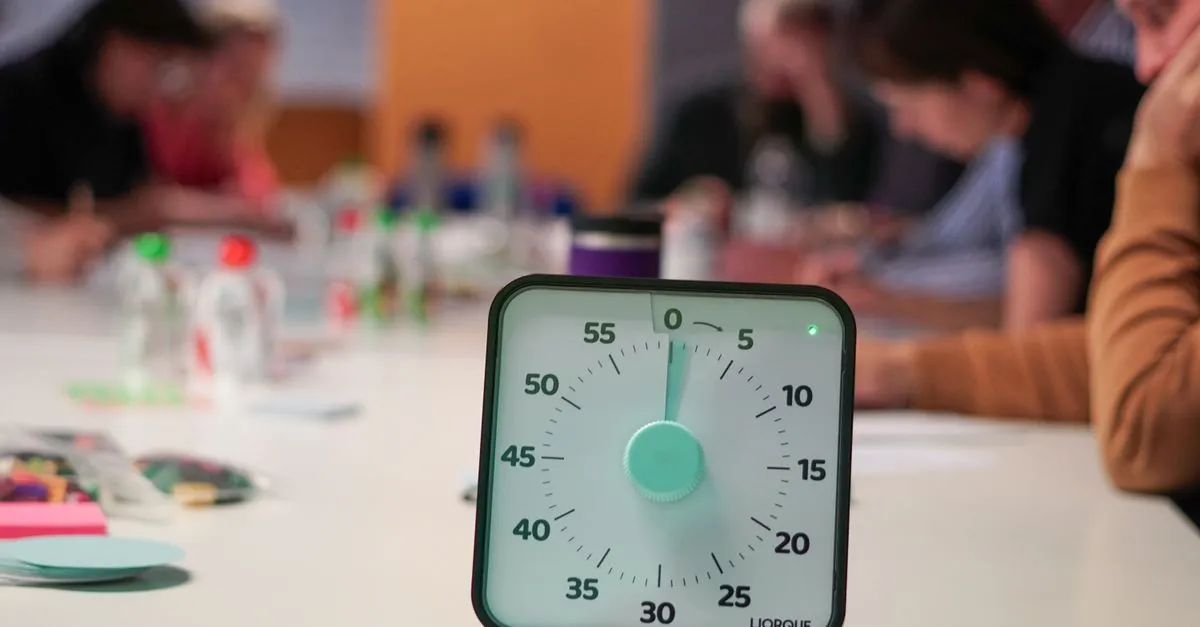
I resisted the Pomodoro Technique for years. It sounded like productivity-blog nonsense — set a kitchen timer, work for 25 minutes, take a break, repeat, and somehow your life is fixed. Then I actually tried it during a stretch of writing I kept avoiding, and the weird thing is: it worked, just not for the reason I expected.
What it actually is
Francesco Cirillo came up with this in the late 1980s as a university student, using a tomato-shaped kitchen timer (pomodoro is Italian for tomato — hence the name). The structure is simple:
- Work for 25 minutes on one task
- Take a 5-minute break
- After four of these cycles, take a longer break — 15 to 30 minutes
That’s the whole method. No app required, though our Pomodoro Timer automates the cycling and counts your sessions so you don’t have to.
Why 25 minutes specifically
It’s arbitrary, and Cirillo has said as much. The number isn’t magic — what matters is that it’s short enough to feel achievable. Staring down a 3-hour writing block is demoralizing. Staring down 25 minutes is not. You can convince yourself to do almost anything for 25 minutes.
The break matters just as much as the work interval. Attention isn’t a tap you leave running at full pressure — it drains, and forcing yourself through fatigue produces worse output than a short reset would. The 5-minute break isn’t slacking. It’s the mechanism that makes the next 25 minutes usable.
Where it breaks down
Some tasks don’t fit neatly into 25-minute boxes. Deep debugging, for instance — you finally understand why the race condition happens, and the timer goes off. Do you really stop? Cirillo’s answer is technically yes, but most people I know ignore the timer at that point and finish the thought first. That’s fine. The technique is a default, not a contract.
Meetings, calls, and anything involving another human also don’t cooperate with a rigid 25-minute box. Use Pomodoro for solo focus work — writing, coding, studying, editing — and drop it for anything collaborative.
If 25 minutes feels too short for your kind of work, stretch it. Some people run 50-minute sessions with 10-minute breaks instead. The ratio (roughly 5:1 work to break) matters more than the exact numbers.
How the automatic cycling helps
The classic version of this technique has you manually restarting the timer after every break, which is exactly the kind of friction that makes people abandon the habit after day three. Our Pomodoro Timer removes that: once you hit Start, it plays a sound at the end of each work block, switches straight into a break, sounds again when the break ends, and starts the next work session on its own. Every fourth session (configurable), it swaps in a longer break automatically.
You can adjust:
- Work length (default 25 min)
- Short break length (default 5 min)
- Long break length (default 15 min)
- How many sessions run before the long break kicks in
Change any of these and the timer applies it starting from the next phase.
A few things that actually help
Turn off notifications before you start a session — not after. The point of the interval is uninterrupted attention, and a single Slack ping mid-pomodoro resets your focus back to zero even if you don’t respond to it.
Track your session count for a week without trying to hit a number. I was surprised how few real focused sessions I actually complete in a day — usually 4 to 6, not the 12 I imagined. Once you know your real number, you can plan a day around it instead of around wishful thinking.
Don’t skip the break to “keep momentum.” I tried this for a while and the fifth session was reliably worse than the first, no matter how good session four felt. The break isn’t dead time — it’s part of the work.
Set your own work and break lengths in the Pomodoro Timer and let it cycle — no signup, no tab-switching to a kitchen app, just start and go.